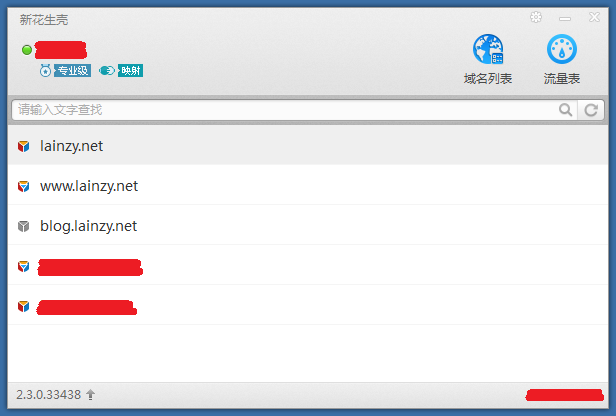
我的这个小站早些年用的是每步的内网穿透,每步消失后就改用花生壳的内网穿透,后来干脆趁花生壳搞活动充值了花生壳的专业版会员,目前也稳定运行了很多年了。花生壳服务稳定性方面还好,虽然小水管只提供1MB的带宽,但对本站来说,就一个Blog,也足够用了。但他的终端应用程序实在是不敢恭维,经常莫名其妙的就闪退或掉线,有时候网站突然无法访问了,远程登录到服务器,发现花生壳程序的进程莫名其妙又不知所踪。所以从很多年前开始,我就一直在后台还运行一个定时重启花生壳的计划任务,指定运行一个重启花生壳的批处理BAT。
早先的批处理程序很简单,KILL掉全部花生壳进程,然后重启花生壳就可以了,总共就7行。重启频率可以在计划任务里调整,后来我保持一个小时重启一次的频率,基本是够用的。但这样处理有些问题,首先就是大部分时间是不需要重启的,绝大部分时间网站访问都是正常的,这个时候重启,其实是人为降低了网站可用性,尽管影响微乎其微吧。其次就是每次kill进程,花生壳的系统托盘图标都不会自动清理,有时候几十天才访问一次服务器,会发现系统托盘里积累了几百个花生壳图标,点开系统托盘能把半个屏幕占满,也是非常让人不爽。在这次把小站搬迁到Windows Server 2019后,刚好花生壳也进化到新的版本,我认为花生壳闪退、掉线的问题应该有所好转吧,所以我没有再使用以前的批处理去重启花生壳……结果证明花生壳的老传统被带到了新版本上,仍然会一段时间后闪退掉线。。。

于是这次整个将批处理程序升级为一个PowerShell脚本,实现三个目标,首先是定时检查网站可访问状态,并且不能仅通过ping,需要检测网站内容是否正常。其次是可以在发现网站不可达状态后,重启花生壳。最后是在重启花生壳无效的情况下,重启服务器。目前这三个目标都实现了,检测网站状态的时候会提前清空本地DNS缓存,防止误判,并且会检测多次以确保不会错误执行重启,同时我在脚本里增加了每7天重启服务器,以确保服务器整体状态良好,同时脚本会在同目录下生成一个日志文件,以辅助自己检查问题所在。

按照惯例,分享一下:
# 脚本名称: HskDDNS_Website_Monitor_Enhanced.ps1
# 描述: 监控网站可访问性并检查页面标题,管理HskDDNS进程,包含24小时定时重启,每次检测前清空DNS缓存,启动时立即重启HskDDNS
# 需要管理员权限运行
# 脚本配置
$Config = @{
WebsiteUrl = "http://www.lainzy.net" # 要监控的网站URL
WebsiteUrlAlternative = "http://lainzy.oicp.net" # 备用HTTP URL
DDNS_Path = "C:\Program Files (x86)\Oray\HskDDNS\HskDDNS.exe" # DDNS程序路径
CheckInterval = 30 * 60 # 检查间隔30分钟(秒)
ScheduledRestartInterval = 7 * 24 * 60 * 60 # 定时重启间隔24小时(秒)
RetryCount = 3 # 最大重试次数
RetryDelay = 10 # 重试延迟(秒)
RestartDelay = 3 * 60 # 重启进程后等待时间(秒)
LogFile = "$PSScriptRoot\HskDDNS_Monitor_Enhanced.log" # 日志文件路径
MaxLogSize = 3MB # 日志文件最大大小
ExpectedTitle = "阳光明媚" # 期望的页面标题包含的文本
CheckTitle = $true # 是否检查页面标题
MaxContentSize = 10240 # 最大内容读取大小(字节)
TimeoutSeconds = 10 # 请求超时时间
ClearDNSCacheBeforeCheck = $true # 检查前清空DNS缓存
RestartOnScriptStart = $true # 脚本启动时立即重启HskDDNS
}
# 初始化
$ErrorActionPreference = "Continue"
$global:WebsiteCheckFailed = $false
$global:DDNSRestarted = $false
$global:CheckCounter = 0
$global:LastRestartTime = $null
$global:LastScheduledRestartTime = Get-Date
$global:NextScheduledRestartTime = (Get-Date).AddSeconds($Config.ScheduledRestartInterval)
# 函数:写入日志
function Write-Log {
param(
[string]$Message,
[string]$Level = "INFO"
)
$timestamp = Get-Date -Format "yyyy-MM-dd HH:mm:ss"
$logEntry = "[$timestamp] [$Level] $Message"
# 输出到控制台
switch ($Level) {
"ERROR" { Write-Host $logEntry -ForegroundColor Red }
"WARNING" { Write-Host $logEntry -ForegroundColor Yellow }
"SUCCESS" { Write-Host $logEntry -ForegroundColor Green }
default { Write-Host $logEntry -ForegroundColor White }
}
# 写入日志文件
try {
# 检查日志文件大小,如果超过限制则清空
if (Test-Path $Config.LogFile) {
$logSize = (Get-Item $Config.LogFile).Length
if ($logSize -gt $Config.MaxLogSize) {
Clear-Content $Config.LogFile -Force
"[$timestamp] [INFO] 日志文件已清理" | Out-File $Config.LogFile -Append -Encoding UTF8
}
}
$logEntry | Out-File $Config.LogFile -Append -Encoding UTF8
}
catch {
Write-Host "无法写入日志文件: $_" -ForegroundColor Red
}
}
# 函数:清空DNS缓存(修复WMI方法)
function Clear-DNSCache {
Write-Log "开始清空本地DNS缓存..."
$methods = @()
try {
# 方法1: 使用Clear-DnsClientCache (PowerShell 5.1+)
if (Get-Command -Name Clear-DnsClientCache -ErrorAction SilentlyContinue) {
Write-Log "使用方法1: Clear-DnsClientCache..."
Clear-DnsClientCache -ErrorAction Stop
$methods += "Clear-DnsClientCache"
Write-Log "DNS缓存已清空 (方法1)" "SUCCESS"
}
}
catch {
Write-Log "方法1失败: $($_.Exception.Message)" "WARNING"
}
try {
# 方法2: 使用ipconfig /flushdns
Write-Log "使用方法2: ipconfig /flushdns..."
$ipconfigResult = ipconfig /flushdns 2>&1
if ($LASTEXITCODE -eq 0) {
$methods += "ipconfig"
Write-Log "DNS缓存已清空 (方法2): $ipconfigResult" "SUCCESS"
}
else {
Write-Log "ipconfig /flushdns失败: $ipconfigResult" "WARNING"
}
}
catch {
Write-Log "方法2失败: $($_.Exception.Message)" "WARNING"
}
try {
# 方法3: 使用WMI清除DNS缓存
Write-Log "使用方法3: WMI清除DNS缓存..."
# 使用Invoke-WmiMethod调用ClearDNSServerCache方法
$adapters = Get-WmiObject -Class Win32_NetworkAdapterConfiguration -Filter "IPEnabled = True" -ErrorAction Stop
foreach ($adapter in $adapters) {
try {
# 使用Invoke-WmiMethod来调用ClearDNSServerCache方法
$result = Invoke-WmiMethod -InputObject $adapter -Name ClearDNSServerCache -ErrorAction Stop
if ($result.ReturnValue -eq 0) {
$methods += "WMI"
Write-Log "网络适配器 $($adapter.Description) DNS缓存已清空 (返回码: $($result.ReturnValue))" "SUCCESS"
}
else {
Write-Log "网络适配器 $($adapter.Description) DNS缓存清空失败 (返回码: $($result.ReturnValue))" "WARNING"
}
}
catch {
Write-Log "WMI方法调用失败: $($_.Exception.Message)" "WARNING"
}
}
}
catch {
Write-Log "方法3失败: $($_.Exception.Message)" "WARNING"
}
try {
# 方法4: 使用DnsClient PowerShell模块
Write-Log "使用方法4: DnsClient模块清除缓存..."
if (Get-Module -Name DnsClient -ListAvailable -ErrorAction SilentlyContinue) {
Import-Module DnsClient -ErrorAction SilentlyContinue
Clear-DnsClientCache -ErrorAction SilentlyContinue
$methods += "DnsClient模块"
Write-Log "DNS缓存已清空 (方法4)" "SUCCESS"
}
}
catch {
Write-Log "方法4失败: $($_.Exception.Message)" "WARNING"
}
# 强制等待DNS缓存刷新
Write-Log "等待DNS缓存刷新完成..."
Start-Sleep -Seconds 2
# 验证DNS缓存是否已清空
try {
# 尝试解析一个域名来验证DNS是否正常工作
$testResult = Resolve-DnsName -Name "www.microsoft.com" -ErrorAction SilentlyContinue
if ($testResult) {
Write-Log "DNS解析测试成功,DNS服务正常" "SUCCESS"
}
else {
Write-Log "DNS解析测试未返回结果" "WARNING"
}
}
catch {
Write-Log "DNS解析测试失败,但可能只是临时问题: $_" "WARNING"
}
if ($methods.Count -gt 0) {
Write-Log "DNS缓存清空完成,使用了以下方法: $($methods -join ', ')" "SUCCESS"
return $true
}
else {
Write-Log "所有DNS缓存清空方法都失败了" "ERROR"
return $false
}
}
# 函数:检查页面标题
function Test-PageTitle {
param(
[string]$Content,
[string]$ExpectedText
)
if ([string]::IsNullOrWhiteSpace($Content)) {
Write-Log "页面内容为空,无法检查标题" "WARNING"
return $false
}
# 提取<title>标签内容
$titleMatch = [regex]::Match($Content, '<title[^>]*>([^<]+)</title>', [System.Text.RegularExpressions.RegexOptions]::IgnoreCase)
if ($titleMatch.Success) {
$title = $titleMatch.Groups[1].Value
Write-Log "找到页面标题: $title"
# 检查标题是否包含预期文本
if ($title -match [regex]::Escape($ExpectedText)) {
Write-Log "页面标题包含预期文本 '$ExpectedText'" "SUCCESS"
return $true
}
else {
Write-Log "页面标题不包含预期文本 '$ExpectedText'" "WARNING"
return $false
}
}
else {
Write-Log "未找到页面标题标签" "WARNING"
# 如果没有找到<title>标签,检查整个页面内容是否包含预期文本
if ($Content -match [regex]::Escape($ExpectedText)) {
Write-Log "页面内容包含预期文本 '$ExpectedText' (但未找到<title>标签)" "SUCCESS"
return $true
}
else {
Write-Log "页面内容不包含预期文本 '$ExpectedText'" "WARNING"
return $false
}
}
}
# 函数:使用GET方法检查网站并验证标题
function Test-WebsiteWithTitleCheck {
param(
[string]$Url
)
$maxRetries = $Config.RetryCount
$retryDelay = $Config.RetryDelay
for ($i = 1; $i -le $maxRetries; $i++) {
try {
Write-Log "尝试第 $i/$maxRetries 次访问网站并检查标题: $Url"
# 创建Web请求对象,以便更好地控制
$request = [System.Net.HttpWebRequest]::Create($Url)
$request.Method = "GET"
$request.Timeout = $Config.TimeoutSeconds * 1000 # 毫秒
$request.UserAgent = "Mozilla/5.0 (Windows NT 10.0; Win64; x64) AppleWebKit/537.36 (KHTML, like Gecko) Chrome/91.0.4472.124 Safari/537.36"
$request.AllowAutoRedirect = $true
# 设置只读取部分内容以加快速度
$request.AddRange(0, $Config.MaxContentSize - 1)
# 发送请求
$response = $request.GetResponse()
# 检查状态码
if ($response.StatusCode -eq 200) {
Write-Log "网站请求成功 (HTTP状态: $($response.StatusCode))"
# 读取响应内容
$stream = $response.GetResponseStream()
$reader = New-Object System.IO.StreamReader($stream, [System.Text.Encoding]::UTF8)
$content = $reader.ReadToEnd()
$reader.Close()
$response.Close()
Write-Log "读取内容长度: $($content.Length) 字符"
# 检查页面标题
if ($Config.CheckTitle) {
$titleValid = Test-PageTitle -Content $content -ExpectedText $Config.ExpectedTitle
if ($titleValid) {
Write-Log "网站访问成功且标题验证通过" "SUCCESS"
return $true
}
else {
Write-Log "网站返回200状态码,但标题验证失败" "WARNING"
return $false
}
}
else {
Write-Log "网站访问成功 (跳过标题检查)" "SUCCESS"
return $true
}
}
else {
Write-Log "网站返回非200状态码: $($response.StatusCode)" "WARNING"
$response.Close()
return $false
}
}
catch [System.Net.WebException] {
$webEx = $_.Exception
if ($webEx.Response) {
$statusCode = [int]$webEx.Response.StatusCode
$responseStream = $webEx.Response.GetResponseStream()
$reader = New-Object System.IO.StreamReader($responseStream)
$errorContent = $reader.ReadToEnd()
$reader.Close()
$webEx.Response.Close()
Write-Log "Web异常 (状态码: $statusCode): $($webEx.Message)" "WARNING"
Write-Log "错误响应内容: $($errorContent.Substring(0, [Math]::Min(200, $errorContent.Length)))..."
# 如果是404,可能网站不存在
if ($statusCode -eq 404) {
Write-Log "网站返回404,页面不存在" "WARNING"
}
}
else {
Write-Log "网络错误: $($webEx.Message)" "WARNING"
}
}
catch {
Write-Log "访问网站时发生错误: $($_.Exception.Message)" "WARNING"
Write-Log "错误类型: $($_.Exception.GetType().FullName)" "WARNING"
}
# 如果不是最后一次尝试,则等待
if ($i -lt $maxRetries) {
Write-Log "等待 $retryDelay 秒后重试..."
Start-Sleep -Seconds $retryDelay
}
}
Write-Log "检测失败: 所有重试尝试均失败" "WARNING"
return $false
}
# 函数:备用检测方法 - 使用Test-Connection (Ping)
function Test-WebsiteWithPing {
param(
[string]$Url
)
# 从URL中提取主机名
$uri = [Uri]$Url
$hostname = $uri.Host
Write-Log "尝试使用Ping检测主机: $hostname"
try {
$pingResult = Test-Connection -ComputerName $hostname -Count 2 -Quiet -ErrorAction Stop
if ($pingResult) {
Write-Log "Ping检测成功: $hostname" "SUCCESS"
return $true
}
else {
Write-Log "Ping检测失败: $hostname" "WARNING"
return $false
}
}
catch {
Write-Log "Ping检测出错: $($_.Exception.Message)" "WARNING"
return $false
}
}
# 函数:综合检测网站可访问性
function Test-WebsiteAccessibility {
param(
[string]$Url
)
# 使用GET方法并检查标题
$titleCheckResult = Test-WebsiteWithTitleCheck -Url $Url
if ($titleCheckResult) {
return $true
}
Write-Log "标题检查失败,尝试Ping检测作为备用" "WARNING"
# 如果标题检查失败,尝试Ping检测
$pingResult = Test-WebsiteWithPing -Url $Url
return $pingResult
}
# 函数:快速检测(仅检查状态码,不检查标题)
function Test-WebsiteQuick {
param(
[string]$Url
)
try {
Write-Log "快速检测网站: $Url"
# 使用HEAD方法快速检查
$response = Invoke-WebRequest -Uri $Url -Method Head -TimeoutSec 5 -ErrorAction Stop
if ($response.StatusCode -eq 200) {
Write-Log "快速检测成功 (HTTP状态: 200)" "SUCCESS"
return $true
}
else {
Write-Log "快速检测失败 (HTTP状态: $($response.StatusCode))" "WARNING"
return $false
}
}
catch {
Write-Log "快速检测失败: $($_.Exception.Message)" "WARNING"
return $false
}
}
# 函数:检查并重启HskDDNS进程
function Restart-HskDDNS {
param(
[string]$Reason = "未知原因"
)
Write-Log "开始处理HskDDNS进程 (原因: $Reason)"
# 1. 关闭现有进程
$processes = Get-Process -Name "HskDDNS" -ErrorAction SilentlyContinue
if ($processes) {
Write-Log "找到 $($processes.Count) 个HskDDNS进程,正在关闭..."
foreach ($process in $processes) {
try {
Stop-Process -Id $process.Id -Force -ErrorAction Stop
Write-Log "已关闭进程 (PID: $($process.Id))" "SUCCESS"
}
catch {
Write-Log "关闭进程失败 (PID: $($process.Id)): $_" "ERROR"
}
}
# 等待进程完全退出
Start-Sleep -Seconds 2
# 确认进程已关闭
$remaining = Get-Process -Name "HskDDNS" -ErrorAction SilentlyContinue
if ($remaining) {
Write-Log "警告:仍有HskDDNS进程在运行" "WARNING"
}
}
else {
Write-Log "未找到运行的HskDDNS进程"
}
# 2. 检查程序文件是否存在
if (-not (Test-Path $Config.DDNS_Path)) {
Write-Log "错误:找不到HskDDNS程序文件: $($Config.DDNS_Path)" "ERROR"
return $false
}
# 3. 重新启动程序
try {
Write-Log "正在启动HskDDNS程序..."
$processInfo = New-Object System.Diagnostics.ProcessStartInfo
$processInfo.FileName = $Config.DDNS_Path
$processInfo.WorkingDirectory = Split-Path $Config.DDNS_Path -Parent
$processInfo.UseShellExecute = $true
$process = [System.Diagnostics.Process]::Start($processInfo)
if ($process) {
Write-Log "HskDDNS程序已启动 (PID: $($process.Id))" "SUCCESS"
$global:DDNSRestarted = $true
$global:LastRestartTime = Get-Date
return $true
}
else {
Write-Log "启动HskDDNS程序失败" "ERROR"
return $false
}
}
catch {
Write-Log "启动HskDDNS程序时出错: $_" "ERROR"
return $false
}
}
# 函数:检查并执行定时重启
function Check-And-PerformScheduledRestart {
$currentTime = Get-Date
# 检查是否达到定时重启时间
if ($currentTime -ge $global:NextScheduledRestartTime) {
Write-Log "达到24小时定时重启时间,执行定时重启..." "WARNING"
Write-Log "上次定时重启时间: $($global:LastScheduledRestartTime.ToString('yyyy-MM-dd HH:mm:ss'))"
Write-Log "本次定时重启时间: $($currentTime.ToString('yyyy-MM-dd HH:mm:ss'))"
# 执行定时重启
$restartResult = Restart-HskDDNS -Reason "24小时定时重启"
if ($restartResult) {
# 更新定时重启时间
$global:LastScheduledRestartTime = $currentTime
$global:NextScheduledRestartTime = $currentTime.AddSeconds($Config.ScheduledRestartInterval)
Write-Log "定时重启完成,下次定时重启时间: $($global:NextScheduledRestartTime.ToString('yyyy-MM-dd HH:mm:ss'))" "SUCCESS"
}
else {
Write-Log "定时重启失败" "ERROR"
}
return $true
}
return $false
}
# 函数:重启系统
function Restart-System {
Write-Log "准备重启系统..." "WARNING"
# 显示倒计时
$countdown = 30
while ($countdown -gt 0) {
Write-Host "系统将在 $countdown 秒后重启,按 Ctrl+C 取消..." -ForegroundColor Yellow
Start-Sleep -Seconds 1
$countdown--
}
Write-Log "正在重启系统..." "WARNING"
try {
# 使用不同的方法重启系统
Restart-Computer -Force -ErrorAction Stop
Write-Log "重启命令已执行" "WARNING"
}
catch {
Write-Log "使用Restart-Computer失败,尝试使用shutdown命令..." "WARNING"
try {
shutdown /r /t 5 /c "HskDDNS监控脚本:网站无法访问,系统正在重启"
Write-Log "shutdown命令已执行" "WARNING"
}
catch {
Write-Log "所有重启方法都失败: $_" "ERROR"
}
}
}
# 函数:显示定时重启倒计时
function Show-ScheduledRestartCountdown {
$currentTime = Get-Date
$timeRemaining = $global:NextScheduledRestartTime - $currentTime
if ($timeRemaining.TotalSeconds -le 0) {
return "定时重启: 即将执行"
}
$hours = [math]::Floor($timeRemaining.TotalHours)
$minutes = [math]::Floor($timeRemaining.TotalMinutes % 60)
$seconds = [math]::Floor($timeRemaining.TotalSeconds % 60)
return "定时重启倒计时: ${hours}小时${minutes}分钟${seconds}秒"
}
# 函数:脚本启动初始化
function Initialize-ScriptStart {
Write-Log "=== 脚本启动初始化 ===" "SUCCESS"
if ($Config.RestartOnScriptStart) {
Write-Log "脚本启动时立即重启HskDDNS进程..."
$initRestartResult = Restart-HskDDNS -Reason "脚本启动初始化"
if ($initRestartResult) {
Write-Log "脚本启动初始化完成,HskDDNS已重启" "SUCCESS"
}
else {
Write-Log "脚本启动初始化失败,但仍将继续运行" "ERROR"
}
# 等待一段时间让程序稳定
Write-Log "等待15秒让HskDDNS程序稳定..."
Start-Sleep -Seconds 15
}
else {
Write-Log "跳过脚本启动时的HskDDNS重启(配置已禁用)"
}
Write-Log "脚本初始化完成,开始主监控循环" "SUCCESS"
}
# 函数:主监控循环
function Start-WebsiteMonitoring {
Write-Log "=== 主监控循环启动 ===" "SUCCESS"
Write-Log "监控网站: $($Config.WebsiteUrl)"
Write-Log "检测方法: GET请求 + 标题检查 (包含 '$($Config.ExpectedTitle)')"
Write-Log "DNS缓存清空: $($Config.ClearDNSCacheBeforeCheck)"
Write-Log "检查间隔: $($Config.CheckInterval/60) 分钟"
Write-Log "定时重启间隔: $($Config.ScheduledRestartInterval/3600) 小时"
Write-Log "下次定时重启时间: $($global:NextScheduledRestartTime.ToString('yyyy-MM-dd HH:mm:ss'))"
Write-Log "日志文件: $($Config.LogFile)"
Write-Log "="
while ($true) {
$global:CheckCounter++
# 显示状态信息
$countdownInfo = Show-ScheduledRestartCountdown
Write-Log "第 $global:CheckCounter 次检查开始 - $countdownInfo"
# 1. 检查并执行定时重启(如果有需要)
$scheduledRestartPerformed = Check-And-PerformScheduledRestart
# 如果刚刚执行了定时重启,等待一小段时间让程序稳定
if ($scheduledRestartPerformed) {
Write-Log "等待10秒让HskDDNS程序稳定..."
Start-Sleep -Seconds 10
}
# 2. 清空DNS缓存(如果配置启用)
if ($Config.ClearDNSCacheBeforeCheck) {
Write-Log "清空DNS缓存以确保检测准确性..."
$dnsCleared = Clear-DNSCache
if ($dnsCleared) {
Write-Log "DNS缓存已清空,准备进行网站检测" "SUCCESS"
}
else {
Write-Log "DNS缓存清空失败,但仍将继续进行网站检测" "WARNING"
}
}
else {
Write-Log "跳过DNS缓存清空(配置已禁用)"
}
# 3. 进行网站检测
Write-Log "进行快速检测(仅检查状态码)..."
$quickCheckResult = Test-WebsiteQuick -Url $Config.WebsiteUrl
if (-not $quickCheckResult -and $Config.WebsiteUrlAlternative) {
Write-Log "HTTP快速检测失败,尝试HTTPS..."
$quickCheckResult = Test-WebsiteQuick -Url $Config.WebsiteUrlAlternative
}
if ($quickCheckResult) {
Write-Log "快速检测通过,进行完整检测..."
# 完整检测(检查标题)
$websiteAccessible = Test-WebsiteAccessibility -Url $Config.WebsiteUrl
# 如果HTTP访问失败,尝试HTTPS
if (-not $websiteAccessible -and $Config.WebsiteUrlAlternative) {
Write-Log "HTTP完整检测失败,尝试HTTPS..."
$websiteAccessible = Test-WebsiteAccessibility -Url $Config.WebsiteUrlAlternative
}
}
else {
Write-Log "快速检测失败,跳过完整检测"
$websiteAccessible = $false
}
if ($websiteAccessible) {
Write-Log "网站可访问性检查通过" "SUCCESS"
$global:WebsiteCheckFailed = $false
}
else {
Write-Log "网站无法访问或标题验证失败" "ERROR"
# 第一次检测到失败(且不是因为定时重启)
if (-not $global:WebsiteCheckFailed -and -not $scheduledRestartPerformed) {
Write-Log "首次检测到网站不可访问,重启HskDDNS进程"
$global:WebsiteCheckFailed = $true
$restartSuccess = Restart-HskDDNS -Reason "网站不可访问"
if ($restartSuccess) {
Write-Log "等待 $($Config.RestartDelay/60) 分钟后再次检查网站..."
Start-Sleep -Seconds $Config.RestartDelay
# 再次检查网站前清空DNS缓存
if ($Config.ClearDNSCacheBeforeCheck) {
Write-Log "重启后再次清空DNS缓存..."
Clear-DNSCache
}
# 再次检查网站
Write-Log "重新检查网站可访问性..."
$websiteAccessibleAfterRestart = Test-WebsiteAccessibility -Url $Config.WebsiteUrl
if (-not $websiteAccessibleAfterRestart -and $Config.WebsiteUrlAlternative) {
$websiteAccessibleAfterRestart = Test-WebsiteAccessibility -Url $Config.WebsiteUrlAlternative
}
if (-not $websiteAccessibleAfterRestart) {
Write-Log "重启HskDDNS后网站仍然无法访问,准备重启系统..." "ERROR"
Restart-System
}
else {
Write-Log "重启HskDDNS后网站恢复访问" "SUCCESS"
$global:WebsiteCheckFailed = $false
}
}
}
else {
if ($scheduledRestartPerformed) {
Write-Log "网站检测失败,但刚刚已执行定时重启" "WARNING"
}
else {
Write-Log "网站持续无法访问,但上次已处理过" "WARNING"
}
}
}
# 计算下一次检查的时间
$nextCheckTime = (Get-Date).AddSeconds($Config.CheckInterval)
Write-Log "下一次网站检查时间: $($nextCheckTime.ToString('HH:mm:ss'))"
Write-Log "下一次定时重启时间: $($global:NextScheduledRestartTime.ToString('yyyy-MM-dd HH:mm:ss'))"
Write-Log "-" * 50
# 等待下一次检查
Start-Sleep -Seconds $Config.CheckInterval
}
}
# 主程序入口
try {
# 检查管理员权限
$currentPrincipal = New-Object Security.Principal.WindowsPrincipal([Security.Principal.WindowsIdentity]::GetCurrent())
if (-not $currentPrincipal.IsInRole([Security.Principal.WindowsBuiltInRole]::Administrator)) {
Write-Host "请使用管理员权限运行此脚本!" -ForegroundColor Red
Write-Host "右键点击脚本,选择'以管理员身份运行'" -ForegroundColor Yellow
pause
exit 1
}
# 检查必要的模块
if ($PSVersionTable.PSVersion.Major -lt 3) {
Write-Host "需要PowerShell 3.0或更高版本" -ForegroundColor Red
exit 1
}
# 创建日志目录
$logDir = Split-Path $Config.LogFile -Parent
if (-not (Test-Path $logDir)) {
New-Item -ItemType Directory -Path $logDir -Force | Out-Null
}
# 显示脚本信息
Write-Host "=========================================" -ForegroundColor Cyan
Write-Host "HskDDNS监控脚本 (增强版)" -ForegroundColor Cyan
Write-Host "网站检测间隔: $($Config.CheckInterval/60) 分钟" -ForegroundColor Cyan
Write-Host "定时重启间隔: $($Config.ScheduledRestartInterval/3600) 小时" -ForegroundColor Cyan
Write-Host "DNS缓存清空: $($Config.ClearDNSCacheBeforeCheck)" -ForegroundColor Cyan
Write-Host "启动时重启HskDDNS: $($Config.RestartOnScriptStart)" -ForegroundColor Cyan
Write-Host "下次定时重启: $($global:NextScheduledRestartTime.ToString('yyyy-MM-dd HH:mm:ss'))" -ForegroundColor Cyan
Write-Host "日志文件: $($Config.LogFile)" -ForegroundColor Cyan
Write-Host "=========================================" -ForegroundColor Cyan
Write-Host ""
# 测试标题检查函数
Write-Log "测试标题检查功能..."
$testContent = '<html><head><title>阳光明媚的个人网站</title></head><body>欢迎</body></html>'
$titleCheckResult = Test-PageTitle -Content $testContent -ExpectedText $Config.ExpectedTitle
Write-Log "标题检查测试结果: $titleCheckResult"
# 脚本启动初始化(包括立即重启HskDDNS)
Initialize-ScriptStart
# 启动监控
Start-WebsiteMonitoring
}
catch {
Write-Log "脚本发生错误: $_" "ERROR"
Write-Log "堆栈跟踪: $($_.ScriptStackTrace)" "ERROR"
pause
}
finally {
Write-Log "脚本停止" "WARNING"
} HskDDNS_Website_Monitor_Enhanced.rar
脚本需要在管理员权限下运行。有需要的自取,至于脚本中哪里需要调整,那就自便。
如果要开机自动执行,可以加入计划任务,也可以通过其他方式,这个就看你个人喜欢了。总之希望这个东西对那些被同样问题困扰的朋友有点帮助吧……
 访客
访客 熊蒋蒋
熊蒋蒋
